
Dinosaur Games Online


 On the desktop
Dinosaur Online Games
Play dinosaur games in your browser, with no downloads and no signup. Jump into quick runners, survival fights, tower defense, or chill idle clickers all in a prehistoric theme. Works on desktop and mobile; pick keyboard, touch, or a controller where supported. Start with a popular T‑Rex run or try a deeper strategy game if you like planning.
You'll see different styles here: fast action, exploration, and even educational twists. Choose what fits your mood today; games load fast on modern browsers, but older phones sometimes struggles.
Play online, no download
These are HTML5/WebGL browser games you can launch instantly. Just open a game, check its controls, and play. Availability and features can change over time we keep the category fresh.
What are dinosaur games?
Dinosaur games are titles themed around prehistoric creatures like the Tyrannosaurus rex (T‑Rex), Velociraptor, Spinosaurus, or Brachiosaurus. You'll find many subgenres: runners, shooters, tower defense, platformers, merge and idle clickers, and 2‑player or multiplayer modes.
Popular titles you might know
- Chrome Dino (Dino Game) classic offline-style runner starring a T‑Rex.
- Sharkosaurus Rampage chaotic action as a hybrid beast.
- Rio Rex and Retro Rex arcade destruction with giant dinos.
- Dino Run and Dino Miner retro running and simple digging challenges.
- Day D Tower Rush and Dino Defense tower defense with dino twists.
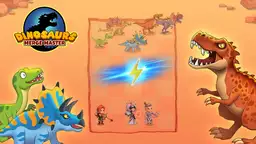
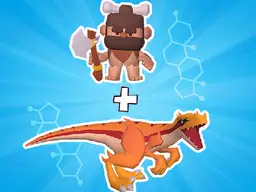
- Dinosaurs Merge Master merge units to build a stronger army.
- Cell to Singularity: Mesozoic Valley idle evolution with a science angle.
- CyberDino: T‑Rex vs Robots action with upgrades and robotic enemies.
Game types and who they suit
| Type | Playstyle | Good for | Examples |
|---|---|---|---|
| Runner | Jump/duck timing | Short sessions, mobile | Dino Game, Retro Rex |
| Tower Defense | Place units, survive waves | Strategy fans | Day D Tower Rush, Dino Defense |
| Action/Destruction | Arcade combat, chaos | Quick fun, PC or phone | Rio Rex, Sharkosaurus Rampage |
| Idle/Clicker | Progress over time | Relaxed pace | Cell to Singularity: Mesozoic Valley |
| Merge | Combine units to level up | Casual play | Dinosaurs Merge Master |
| Platformer/Adventure | Run, jump, explore | Gamepad or keyboard | Dino Run, Dino Bros |
| Shooter | Aim, shoot, upgrade | PC controls | Sniper vs Dinosaurs, CyberDino |
Devices, controls, and performance
Mobile and tablet
Most games support touch controls. Runners and merge/idle games are great on phones. For best stability, use an up‑to‑date mobile browser.
PC, keyboard, and controllers
Action, shooters, and platformers often feel better on keyboard or a gamepad. Check the game's help panel for movement keys, attack buttons, and it's controller support.
Accessibility and settings
Look for options like sound toggles, sensitivity sliders, and quality settings. Lower graphics quality if you see lag; close other tabs to free memory.
Tips to get started fast
- Pick a genre you enjoy (runner, TD, action, platformer).
- Check difficulty and controls before the first run.
- On mobile, prefer portrait runners and merge/idle for comfort.
- If a game stutters, reduce effects or try another browser.
- Playing with a friend? Look for 2‑player or multiplayer tags.
FAQ
Are dinosaur games free to play?
Yes, these are browser‑based and free‑to‑play. Some titles show ads or offer optional upgrades inside the game.
Do they work on phones and tablets?
Most do. Runners, merge, and idle clickers are very mobile‑friendly. For shooters or precise platformers, a keyboard/gamepad on desktop can be easier.
What is the Chrome Dino (Dino Game)?
It's a minimalist runner starring a T‑Rex. You jump over cacti and ducks under birds, trying to survive as long as possible.
Are there multiplayer dinosaur games?
Yes, some titles offer 2‑player or online modes. Check the mode tags or the in‑game menu for co‑op or versus options.
Are these games suitable for kids?
Many are family‑friendly, but action games may include cartoon violence. Check age hints and pick gentler options for younger players.
Why can a game lag, and how to fix it?
Heavy effects or low memory can cause stutter. Close tabs, lower quality in settings, and keep your browser updated.
