
Matching Games Online








 On the desktop
Matching Online Games
Jump in and play matching games right in your browser. No downloads or logins needed just pick a game and start. You'll find different styles: classic memory card "Concentration," Mahjong, Onet (tile connect), and fast match‑3 puzzles. Choose your difficulty, track your time or score, and try to beat your best run.
The games run on mobile, tablet, and desktop; they load quick and feel smooth. Controls are simple: tap or click to flip, match, and clear the board.
Play your way
- Quick start: pick a title and go.
- Difficulty: from relaxed boards to expert grids.
- Modes: solo focus or head‑to‑head (when available).
- Stats: time, moves, streaks, combos, score.
Game types, explained
Memory Cards (Concentration, Pairs, Pelmanism, Pexeso)
Flip two cards at a time and find pairs. Trains working memory, attention, and recall. Great with themed decks like flags, animals, numbers, letters, shapes, landmarks or paintings.
Mahjong (tile-matching)
Remove identical tiles if they're open on at least one side. It rewards planning and pattern recognition. Many layouts, from easy to long brain-teasers.
Onet / Tile Connect
Match two identical tiles by drawing a path with up to a few turns. Spatial thinking meets time pressure satisfying and a bit tactical.
Match‑3
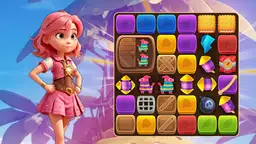
Swap adjacent tiles to make lines of three or more. Chase combos and cascades for big points. It's pacey, readable, and fun on small screens.
How to choose the right challenge
- Want memory training? Pick Memory Cards with themes you like.
- Prefer strategy and layout variety? Try Mahjong.
- Like path‑finding puzzles and quick clears? Onet fits well.
- Enjoy fast loops and combos? Go for Match‑3.
Controls and tips
- Mouse or touch: tap to select tiles/cards, tap again to confirm.
- Speed vs accuracy: rushing raises mistakes; steady wins longer boards.
- Use hints sparingly: save them for late‑board deadlocks.
- Track moves/time to measure progress over sessions.
At a glance: compare game types
| Type | Core mechanic | Tempo | Best for |
|---|---|---|---|
| Memory Cards (Concentration) | Flip and match pairs on a grid | Calm to moderate | Working memory, focus |
| Mahjong | Remove open matching tiles | Moderate, methodical | Planning, pattern reading |
| Onet / Tile Connect | Link matching tiles with a valid path | Moderate to fast | Spatial logic under time |
| Match‑3 | Swap tiles to form 3+ lines | Fast | Combos, casual flow |
Devices and performance
Games run in the browser on mobile, tablet, and desktop. No special hardware is required. Keep your browser updated for the best touch and animation support. There's no downloads or installs it's lightweight by design.
Accessibility notes
- Most games support mouse and touch; some support keyboard moves.
- Look for clear tile contrast and readable symbols where possible.
- Sound can be muted; visual feedback is always present.
FAQ
Do I need an account to play?
No. You can launch and play right away.
Will it work on my phone?
Yes, the games are built for modern mobile browsers and tablets.
What's the difference between Memory Cards and Mahjong?
Memory Cards test recall by flipping and pairing. Mahjong is tile-matching with open‑tile rules and more layout strategy.
Can I play offline?
Some browsers cache assets, but these games are designed for online play. A stable connection is recommended.
How do difficulty levels work?
Boards grow in size or path rules get tighter. Bigger grids and stricter timers mean a tougher run.
Are there hints?
In many titles yes. Use them to break a stalemate, then continue on your own.
