
Simulation Games Online





































 On the desktop
Simulation Online Games
Jump into simulation games right in your browser free, no download. Build cities, run a business, drive or drift, live a new life, or even control a planet. Play on desktop or mobile, switch devices any time, and keep the fun going. There's no installs, no paywalls. Pick a sub‑genre below and start fast.
Play the way you like
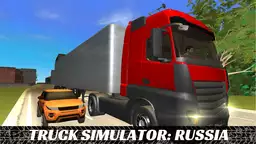
- Driving & Vehicle sims: realistic driving, parking, bus and truck runs, drifting challenges.
- City‑building & Management: plan zones, balance budgets, grow happy citizens.
- Tycoon & Business: run shops, hotels, factories; automate and optimize.
- Life simulators: make choices, grow skills, and see outcomes across a life path.
- Farm & Animal sims: sow, harvest, care for animals, or play as one.
- Space & Planet: build, terraform, or test wild scenarios in the cosmos.
Best picks to try first
Players often look for these well‑known sims and styles. Use them as a quick start to the genre:
- Traffic Rider, Drift Hunters, Car Parking Multiplayer
- SimCity BuildIt, The Sims Mobile, The Sims FreePlay
- Idle Mining Empire, My Perfect Hotel, Monkey Mart
- BitLife - Life Simulator, Life Choices: Life Simulator
- Solar Smash, Little Alchemy 2
Play on any device
No download
Games run in your browser via HTML5/WebGL. Open, press Play, and you're in.
Controls
- Desktop: keyboard and mouse; some titles support controllers.
- Mobile/tablet: touch controls with on‑screen buttons.
Choose the right sub‑genre
- Like cars? Try driving, parking, bus or truck sims; drifting if you enjoy precision control.
- Want strategy? City builders and tycoon sims focus on planning and resource balance.
- Short sessions? Idle and casual management games fit 3-5 minute breaks.
- Creative mood? Life sims and sandbox/planet tools let you experiment freely.
New and underrated
Explore smaller or fresh titles to find different mechanics and ideas. They often add quirky goals or faster loops.
How to start
- Pick a sub‑genre that matches your mood.
- Check device icons for desktop, mobile, or controller.
- Open a game and adjust settings (graphics, controls) if available.
- Play a short run, then switch to another style to compare. This are the easiest steps.
FAQ
What is a simulation game?
A sim models real or imagined systems driving, city management, life choices, animals, or planets so you can learn, practice, or just play with cause and effect.
Are these games free to play?
Yes. You can start in the browser without downloading. Some games may offer optional in‑game items.
Can I play on mobile?
Most titles run on modern phones and tablets with touch controls. Performance can vary by device.
Do games save progress?
Many sims store progress in the browser (local) or the cloud. Look for a save icon or settings note inside each game.
Is there multiplayer?
Some simulation games include online or local modes. Check the game's mode tag before you start.
Are there age ratings?
Content varies by title and sub‑genre. If you play with kids, review the game theme and difficulty first.
